
1、创建项目,添加引用
Install-Package Com.Ctrip.Framework.Apollo.Configuration
2、修改appsettings.json
{
  "Apollo": {
    "AppId": "ApolloDemo",
    "Env": "DEV",
    "MetaServer": "http://192.168.200.128:8080",
    "ConfigServer": ["http://192.168.200.128:8080" ]
  }
}
为什么地址端口是8080而不是8070?
因为暴露两个端口:8070是我们的Apollo配置中心管理界面,而8080端口是Spring Eureka服务注册中心。所以配置的应该是服务端的地址。
3、修改Program.cs,让Apollo来提供我们的配置。
        public static IHostBuilder CreateHostBuilder(string[] args) =>
            Host.CreateDefaultBuilder(args)
                .ConfigureAppConfiguration((hostingContext, builder) =>
                {
                    LogManager.UseConsoleLogging(LogLevel.Trace);
                    builder.AddApollo(builder.Build().GetSection("Apollo")).AddDefault();
                })
                .ConfigureWebHostDefaults(webBuilder =>
                {
                    webBuilder.UseStartup<Startup>();
                });
4、添加一个类来读取Apollo的配置ApolloConfig.cs
    public class ApolloConfig
    {
        public string Name { get; set; }

        public string Gender { get; set; }
    }
修改启动文件,将配置读取到类中
        public void ConfigureServices(IServiceCollection services)
        {
            services.Configure<ApolloConfig>(Configuration);
        }
5、添加一个接口,来返回我们读取的内容
using Microsoft.AspNetCore.Mvc;
using Microsoft.Extensions.Logging;
using System;
using System.Collections.Generic;
using System.Linq;
using System.Threading.Tasks;
using Microsoft.Extensions.Configuration;
using Microsoft.Extensions.Options;

namespace ApolloDemo.Controllers
{
    [ApiController]
    [Route("[controller]")]
    public class WeatherForecastController : ControllerBase
    {
        private readonly IOptionsSnapshot<ApolloConfig> _options;

        public WeatherForecastController(IOptionsSnapshot<ApolloConfig> options)
        {
            _options = options;
        }


        [HttpGet]
        [Route("Apollo")]
        public IActionResult ApolloTest()
        {
            return Content(_options.Value.Name);
        }
    }
}
运行项目,尝试读取一下,这时候啥也读取不到,因为我们还没配置Apollo。
6、打开Apollo,新增项目
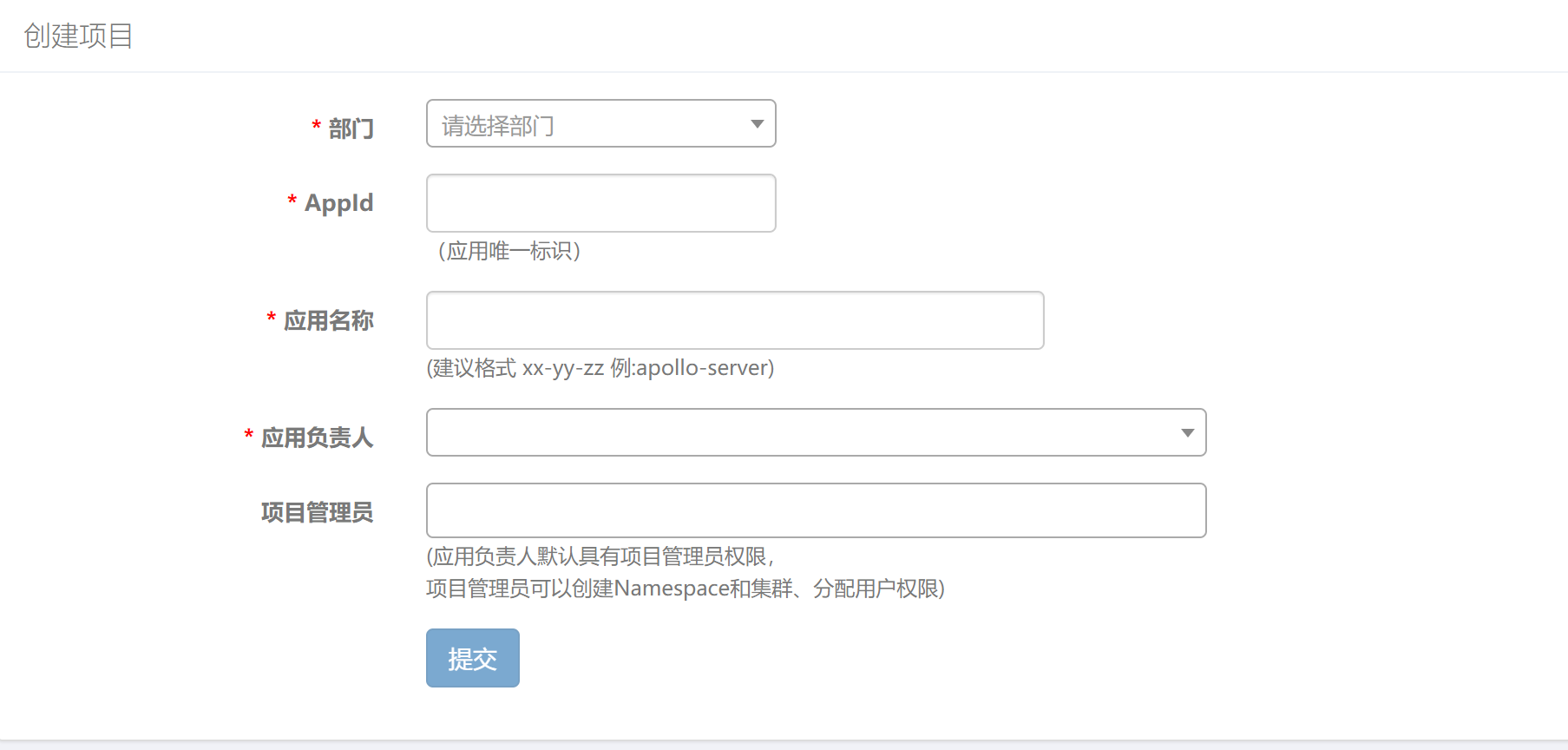
这里的APPID与我们程序配置中的保持一致才行
7、添加两个配置,点击发布

8、然后我们项目中尝试读取一下看看。发现已经可以读取到了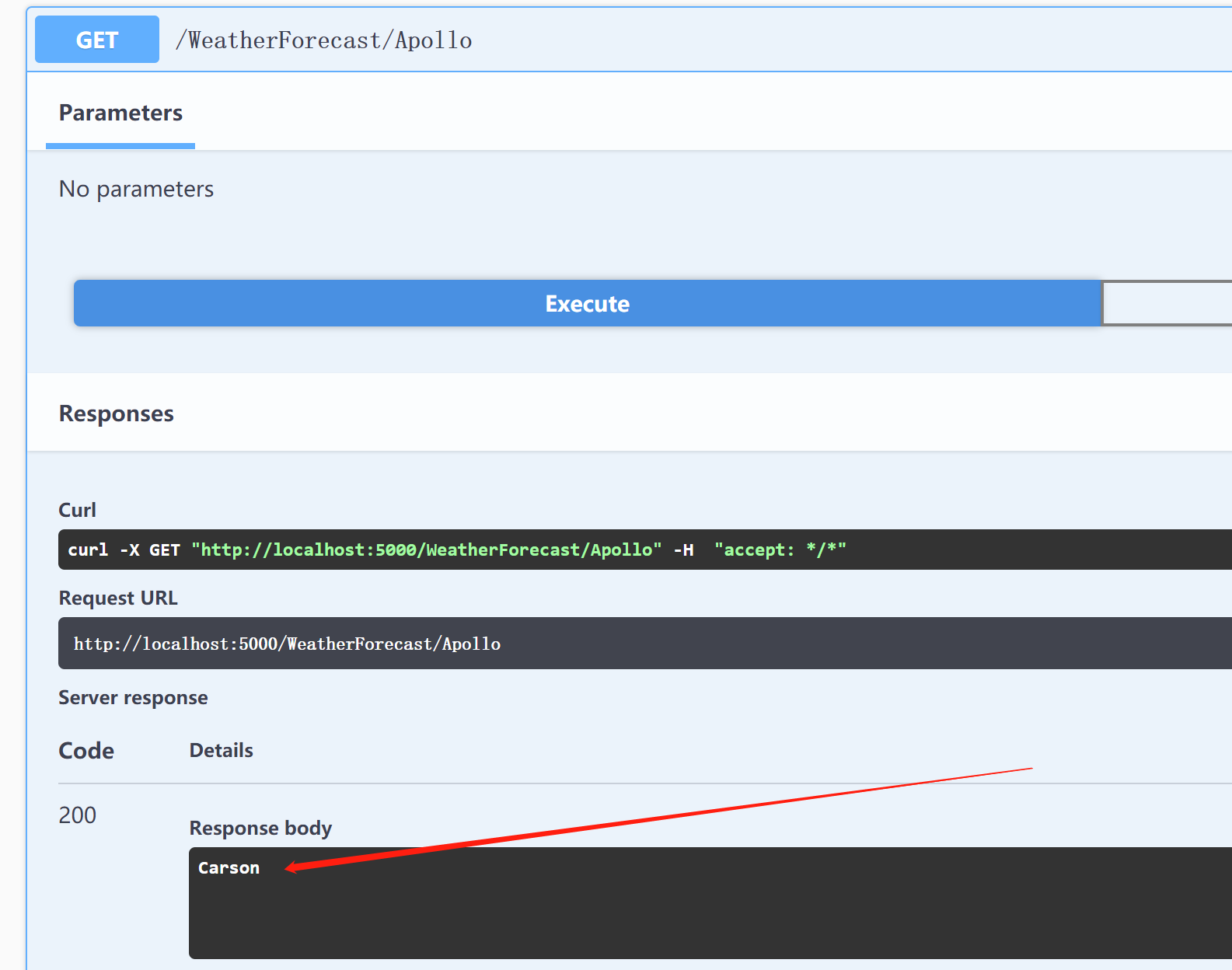
我们尝试改下这个配置,点击发布试下
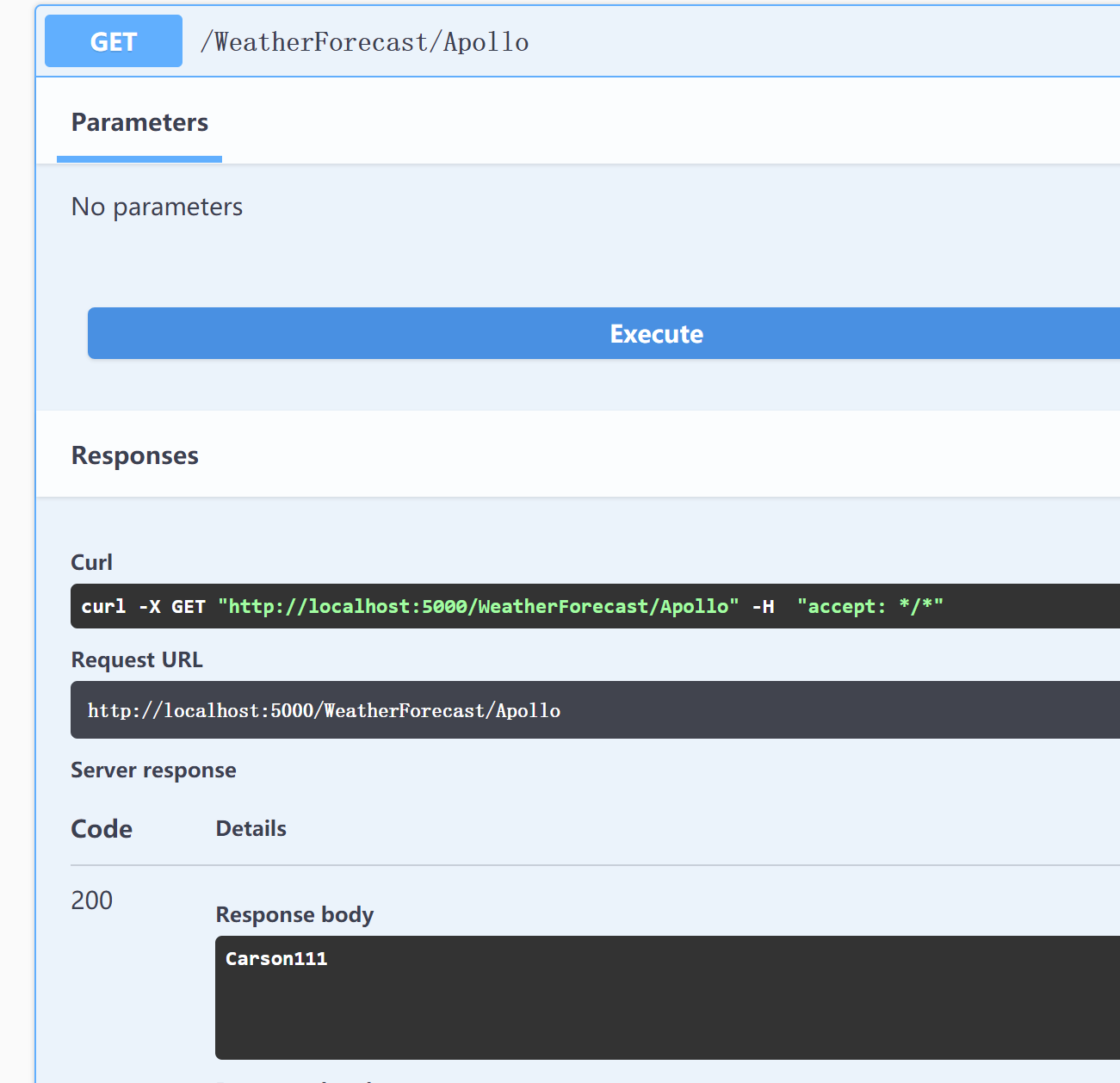
发现更新了,这里有个NetCore的知识点:读取配置的方式
IOptions<T>:只读一次,不会热更新
IOptionsMonitor<T>:实时热更新,同一个请求内,如果变化也及时更新。就是一次请求内,如果改变配置,两次读取的配置是一旧一新
IOptionsSnapshot<T>:实时热更新,同一个请求内,保持一致,直到下次请求,才使用新的值
当我们修改了Apollo的配置之后,点击发布之后,是立即更新到我们本机的,但是读取配置是我们客户端自己获取的,具体能否热更新,看你读取方式,这里采用了IOptionsSnapshot这种方式。














 川公网安备 51010702003150号
留下您的脚步
最近评论