
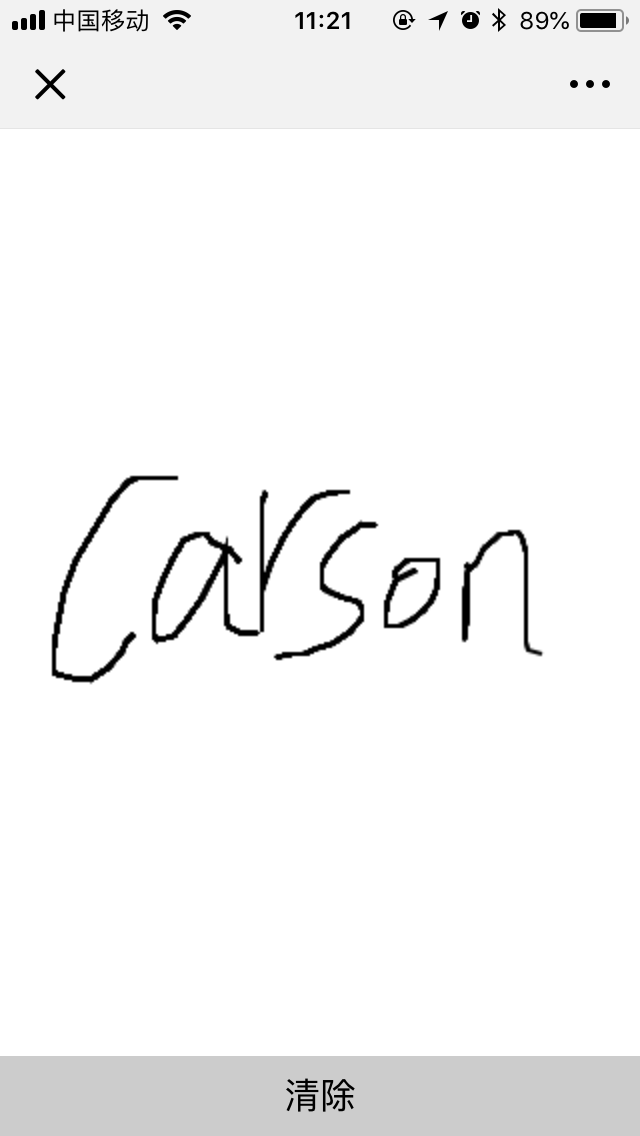
废话不多说,直接看效果:
<!DOCTYPE html>
<html>
	<head>
		<meta charset="UTF-8">
		<title></title>
		<meta name="viewport" content="width=device-width,initial-scale=1,minimum-scale=1,maximum-scale=1,user-scalable=no" />
		<style type="text/css">
			* {
				margin: 0;
				padding: 0;
			}
			html,
			body {
				width: 100vw;
				height: 100vh;
				overflow: hidden;
			}
			.canvas {
				position: fixed;
				top: 0px;
				left: 0px;
				right: 0px;
				background: #fff;
			}
			.btns {
				position: fixed;
				bottom: 0px;
				left: 0px;
				right: 0px;
				display: flex;
			}
			.btns button {
				border: none;
				flex: 1;
				line-height: 40px;
				font-size: 18px;
				background: #ccc;
				outline: none;
			}
			.btns button:nth-child(2n) {
				background: #f1f1f1;
			}
		</style>
	</head>
	<body>
		<canvas id="canvas" class="canvas"></canvas>
		<div class="btns">
			<button onclick="btn_clearRect()">清除</button>
		</div>
		<script>
			/** 侦听touchstart事件 **/
			//document.body.addEventListener('touchstart', function() {
			//	event.preventDefault(); //手指滑动时,浏览器会上下左右翻屏
			//});
			var oCanvas = document.getElementById("canvas");
			oCanvas.width = document.body.clientWidth;
			oCanvas.height = document.body.clientHeight - 44;
			var cxt = oCanvas.getContext("2d");
			cxt.lineWidth = 2;
			var posX = 0; //x坐标
			var posY = 0; //y坐标
			var position = null;
			//手指触摸屏幕可记录此时的位置作为起点
			oCanvas.addEventListener("touchstart", function() {
				posX = event.changedTouches[0].clientX;
				posY = event.changedTouches[0].clientY;
				cxt.moveTo(posX, posY);
			});
			//手指屏滑动画线
			oCanvas.addEventListener("touchmove", function() {
				posX = event.changedTouches[0].clientX;
				posY = event.changedTouches[0].clientY;
				cxt.lineTo(posX, posY);
				cxt.stroke();
			});
			//清空画布
			var btn_clearRect = function() {
				oCanvas.width = oCanvas.width;
			}
		</script>
	</body>
</html>















 川公网安备 51010702003150号
留下您的脚步
最近评论